 Nexora
Live TV with a real guide
Now and next on every channel, a full guide grid with your sources' logos, and a reminder five minutes before a programme starts. When a channel stops, Nexora can switch to another copy of it.
Now and next, on phone and TV
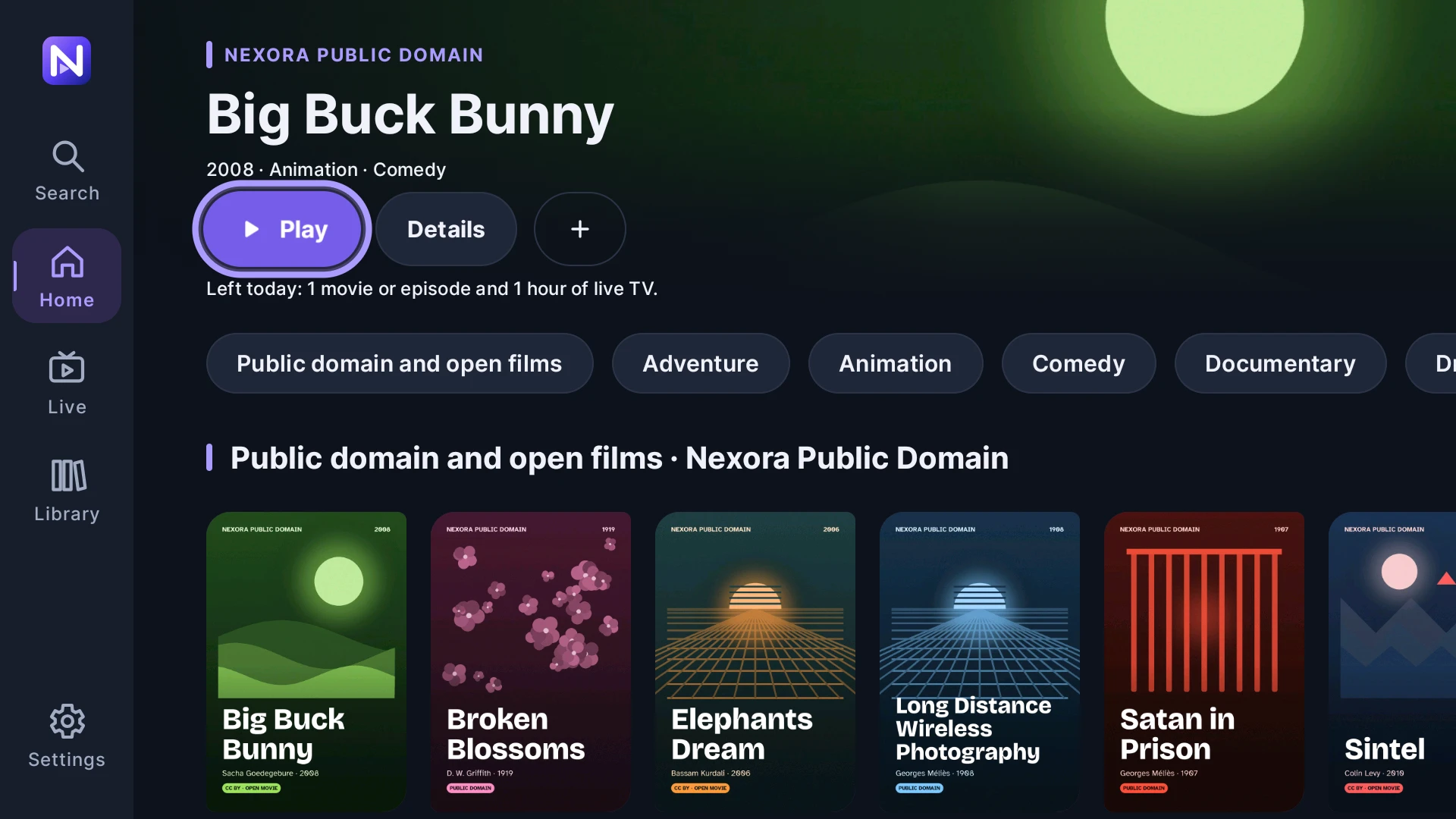
Play your own movies, shows and live TV on Android phones, tablets and TV. Add a playlist, a provider login, a media server or an add-on.
01Add what you have
A playlist is a long list of lines. Nexora reads it, finds the films, series and channels in it, and lays them out with artwork, categories and rows. When the same title is in more than one source, you see it once.
02Everything in its place
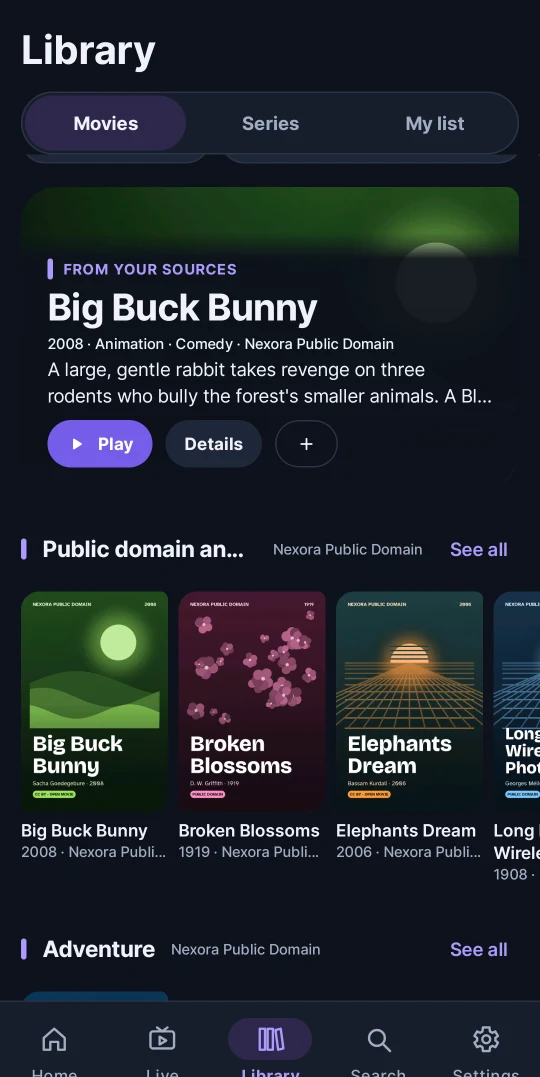
On Android phones, tablets and Android TV: the same sources, favourites and progress, laid out for the hand or for the remote.
Now and next on every channel, a full guide grid with your sources' logos, and a reminder five minutes before a programme starts. When a channel stops, Nexora can switch to another copy of it.
Now and next, on phone and TV
A film in three sources is one card. Its page lists every source that has it, and you choose which copy plays.
Scan the TV's code once. Then send sources to the TV and type on your phone instead of the remote.
Favourites, My list and progress move between phone and TV. Sync now is free; Pro keeps them in step on its own.
No account, no ads. Your library lives on your devices. How
Audio and subtitle tracks, Up next for series and Skip intro where your source marks it. On a phone, keep watching in picture-in-picture or cast to a TV on your network.
Official add-ons are made by Nexora; third-party add-ons are made by other people. The lists the app shows are published here, signed by Nexora, and Nexora never installs other apps.
Unlimited films, episodes and live TV, any video app, automatic sync and more than one TV.
03Yours alone
Nexora needs no account and shows no ads. It does not send your viewing activity to us.
Sources, favourites, watch history and settings are stored on your device, not with Nexora.
Usage statistics and crash reports are off until you allow them, and never include what you watch.
Your phone and TV talk directly over your own network, encrypted. Nothing goes through a Nexora server.
04Free or Pro
Free has no limit on your library. Pro removes the daily viewing limit and adds the extras below.
| Free | Pro | |
|---|---|---|
| Sources and add-ons | Any number | Any number |
| Browse, search every source, favourites, the guide | Included | Included |
| Movies and episodes | 1 a day | Unlimited |
| Live TV | 60 minutes a day | Unlimited |
| Play in another video app | Films and episodes, counted in your day | Everything, including live TV, torrents and your media server |
| Phone and TV | One TV, with Sync now | Automatic sync and more than one TV |
| Custom groups | Not included | Included |
Nexora Pro is bought in the app through Google Play, which shows the price in your currency. Lifetime is paid once, with no renewal. Pro includes no channels, content or provider subscriptions.
05Questions
No. Nexora plays the sources you add: your playlists, provider logins, home media server and add-ons. Nexora provides no content. Its own add-ons, Nexora Public Domain and Space videos from NASA, list only public-domain, openly licensed and NASA films.
One film or episode and 60 minutes of live TV, every day. A film or episode counts after 5 minutes of playback, watching it again the same day does not count again, and the day starts again at midnight on your device. A film that is playing when the allowance runs out finishes. Browsing, search, favourites and the guide never count.
No. Nexora has no sign-up and shows no ads. Nexora Pro is bought with the Google account you already use for Google Play.
Subscriptions are managed in Google Play: open Settings → Nexora Pro → Manage in Google Play, or Google Play → Payments & subscriptions. Lifetime is paid once and never renews. On a new device signed in to the same Google account, choose Restore purchases.
Android phones, tablets and Android TV. Pair one phone with one TV on Free; Pro adds more TVs and keeps them in sync on its own.
More answers on the Support page.
For Android phones, tablets and Android TV. Nexora provides no content.